
flutter_screentime
Flutter plugin for Screen Time style blocking.
The package now splits concerns this way:
- The plugin owns the Flutter API, Android foreground overlay service, and iOS native bridge.
- The host iOS app owns Screen Time extension targets, entitlements, signing, and final shield-screen presentation.
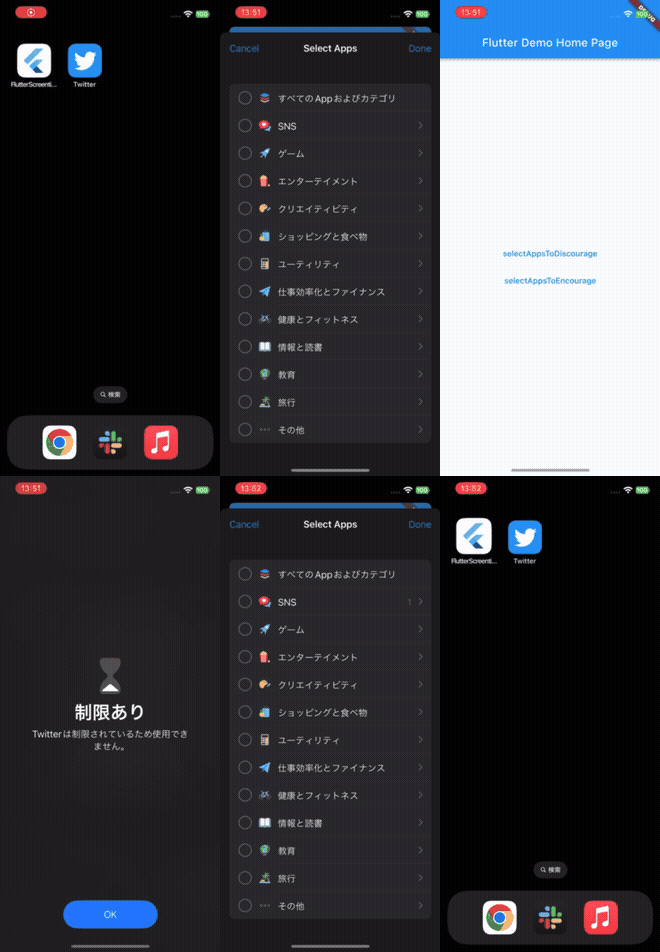
Demo
iOS
Android
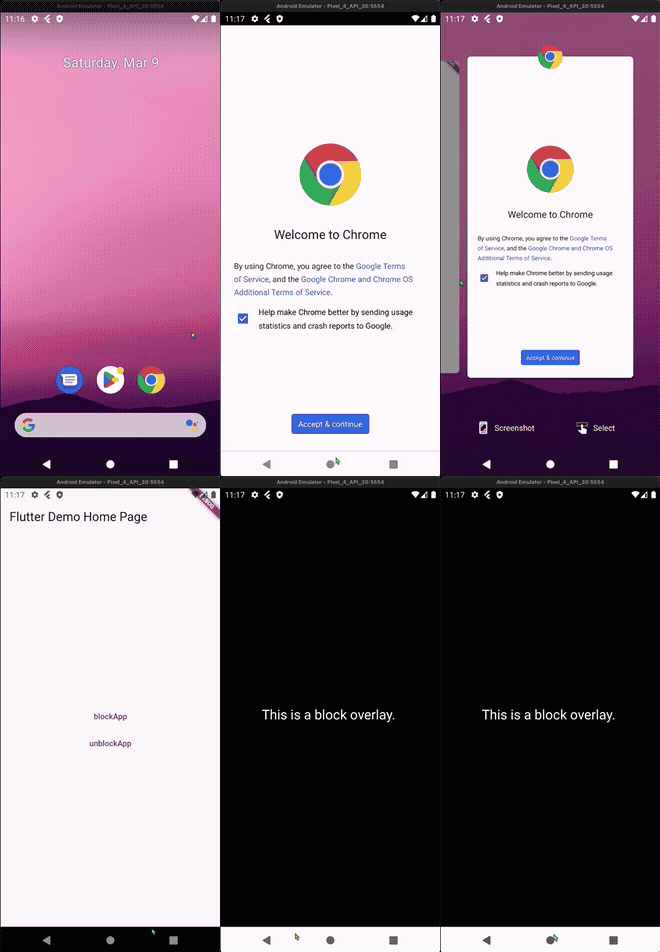
What the plugin does
- Requests authorization on iOS and opens the required settings screens on Android.
- Presents
FamilyActivityPickeron iOS to capture blocked app selections. - Applies
ManagedSettingsStoreshielding on iOS for the selected apps and categories. - Runs a configurable Android overlay for blocked apps.
- Persists block-screen configuration into shared storage so host iOS extensions can render custom screens.
Dart API
const screenTime = FlutterScreentime();

await screenTime.setSharedContainerId('group.your.app');
await screenTime.configureBlockScreen(
  const ScreenTimeBlockScreenConfig(
    title: 'Focus mode',
    message: 'This app is blocked right now.',
    backgroundColorHex: '#0F172A',
    textColorHex: '#F8FAFC',
    primaryButtonLabel: 'Open app',
    secondaryButtonLabel: 'Settings',
  ),
);

await screenTime.requestAuthorization();
await screenTime.selectBlockedApps();
await screenTime.startBlocking();
iOS extension model
Custom blocked screens are still a host-app concern. This plugin stores the configuration, but the host app must add:
Shield Configuration ExtensionDevice Activity Monitor Extension, if needed- a shared
App Group - the
Family Controlscapability
Setup details: doc/ios_extensions.md
Templates:
Android notes
Android does not have an equivalent Screen Time API, so the plugin uses:
SYSTEM_ALERT_WINDOWPACKAGE_USAGE_STATS- a foreground service overlay
If you do not set blocked packages explicitly, the Android implementation blocks all launchable non-system apps except the host app itself.