
fancy_audio_recorder
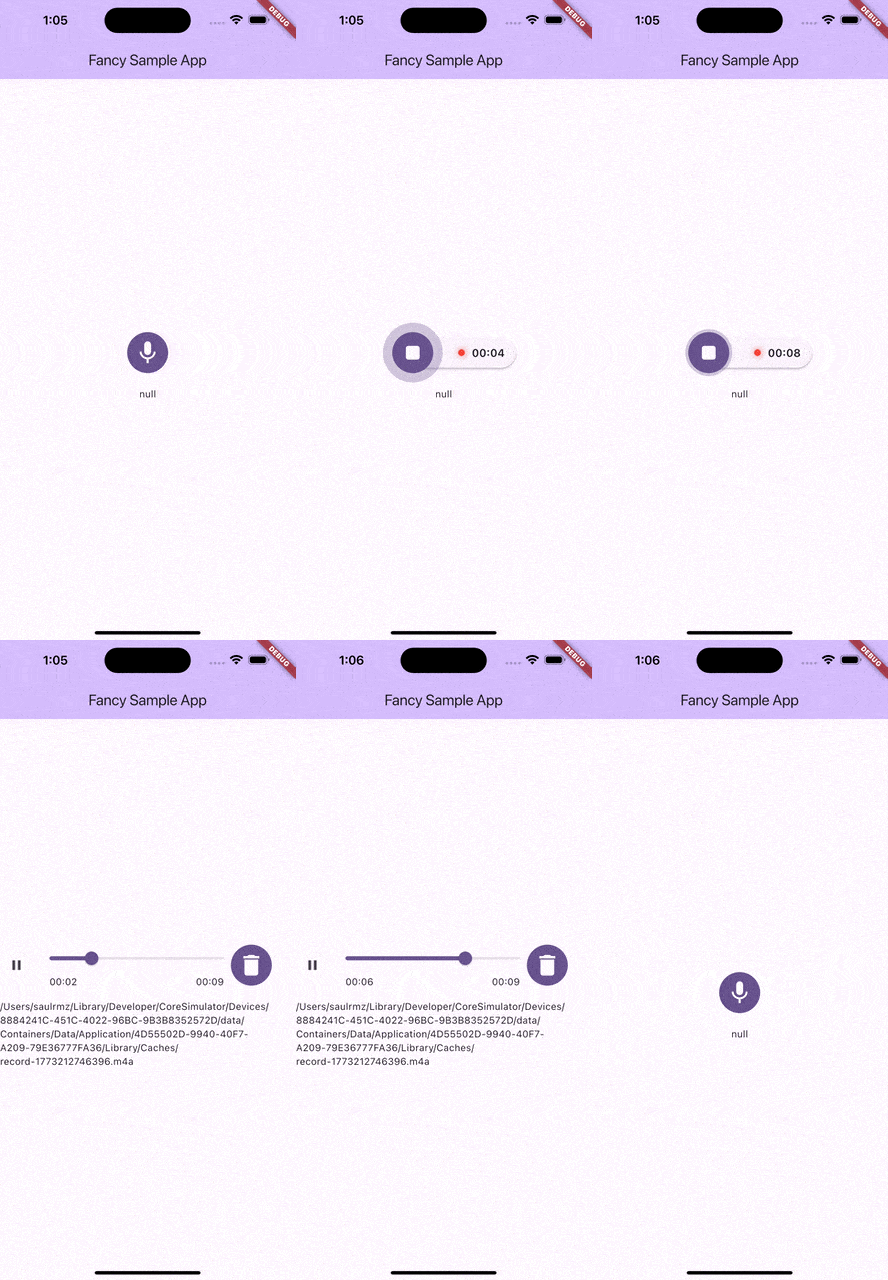
Simple audio recorder widget ready to use (Like instant soup). Record, preview, and delete audio with a single animated button.
Demo
Getting started
Android
Add the following permissions to android/app/src/main/AndroidManifest.xml:
<uses-permission android:name="android.permission.RECORD_AUDIO" />
iOS
Add the following key to ios/Runner/Info.plist:
<key>NSMicrophoneUsageDescription</key>
<string>This app requires microphone access to record audio.</string>
Usage
AudioRecorderButton(
  maxRecordTime: const Duration(seconds: 60),
  onRecordStart: () {
    print('Recording started');
  },
  onRecordComplete: (String? path) {
    if (path != null) {
      print('Recording saved at: $path');
    }
  },
  onRecordDelete: () {
    print('Recording deleted');
  },
)
Infinite recording
Use Duration.zero (or omit maxRecordTime) for unlimited recording time:
AudioRecorderButton(
  // maxRecordTime defaults to Duration.zero (infinite)
  onRecordComplete: (path) => print('Saved: $path'),
)
Parameters
| Parameter | Type | Required | Default | Description |
|---|---|---|---|---|
maxRecordTime |
Duration |
— | Duration.zero |
Maximum recording duration. Use Duration.zero for infinite recording. |
showMaxTime |
bool |
— | true |
Whether to show max time in timer. Always hidden when infinite. |
onRecordComplete |
ValueChanged<String?>? |
— | null | Called when recording stops (path) or is deleted (null) |
onRecordStart |
VoidCallback? |
— | null | Called when recording begins |
onRecordDelete |
VoidCallback? |
— | null | Called when a recording is deleted |
buttonSize |
double |
— | 60 |
Size of the record button |
buttonColor |
Color? |
— | Theme primary | Fill color of the button |
waveColor |
Color? |
— | Theme primary | Color of the amplitude wave ring |
See the /example folder for a complete working app.