
edge_swipe
A Flutter package for detecting edge swipe gestures with a curved line animation and back button.
Demo
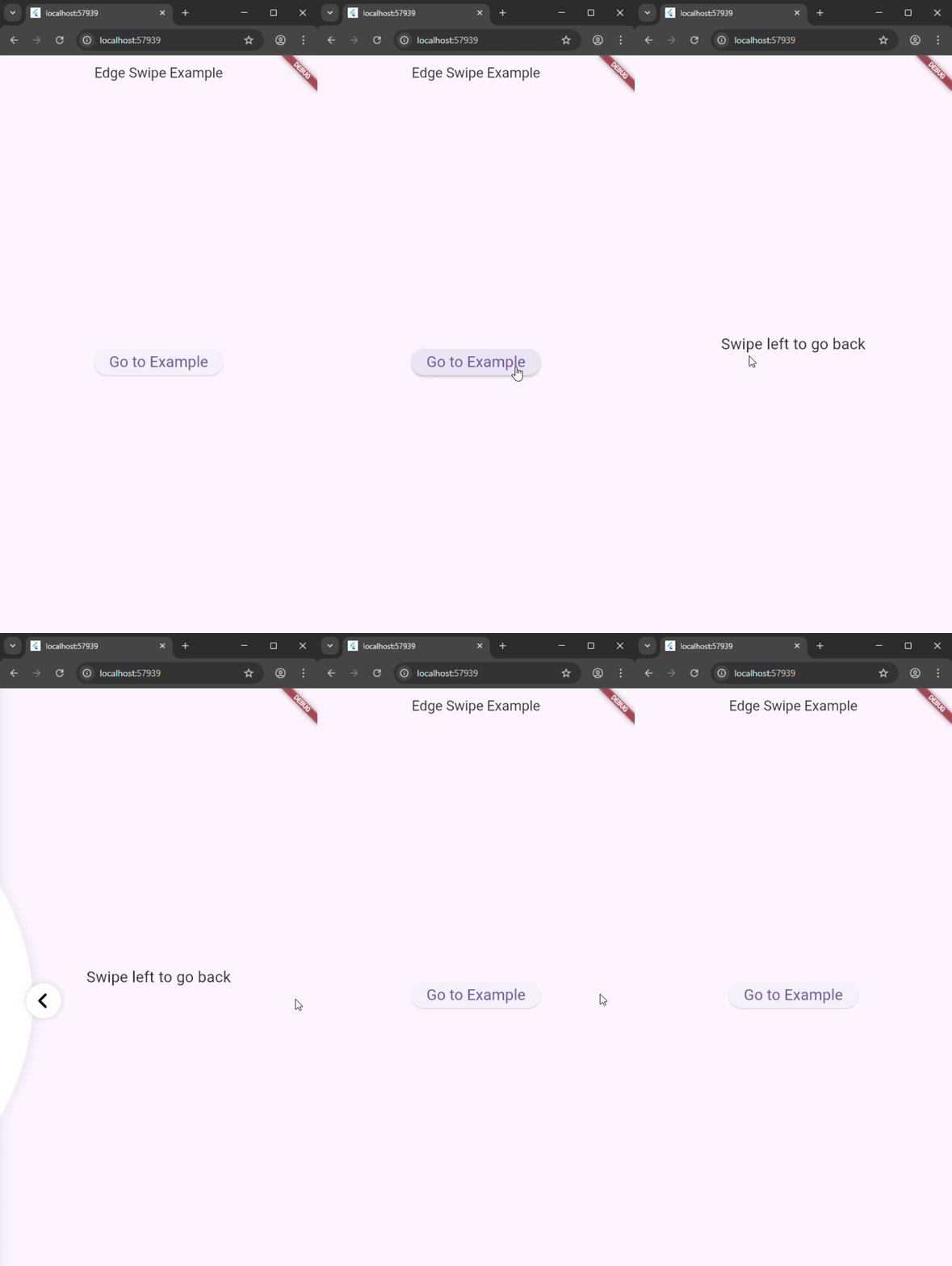
Features
- Detects horizontal swipes on the left edge of the screen.
- Displays a curved line animation during swipe.
- Shows an animated back button that responds to swipe progress.
- Allows unhandled gestures to pass through to parent widgets.
Installation
Add this to your pubspec.yaml:
dependencies:
  edge_swipe: ^0.0.1

Run:
flutter pub get

Usage
Import the package:
import 'package:edge_swipe/edge_swipe.dart';

Wrap your content with EdgeSwipe:
EdgeSwipe(
    onSwipeLeft: () {
        Navigator.pop(context);
    },
    child: child,
)

Parameters

child: The widget to display behind the swipe effect.
onSwipeLeft: Callback triggered when swipe threshold is reached.
onSwipeRight: Callback triggered when swipe threshold is reached.
curveHeightPercent: Height of the curved line (default: 30.0).
percentToInvoke: Minimum 0, maximum 1 The percentage of curve amount to invoke the swipe action. Default is 0.3, meaning the swipe action will be invoked when the curve amount reaches 30%.
curvedLineColor: Color for the curved line.
curvedLineShadowColor: Shadow color for the curved line.
edgeChildBuilder: A builder function to create a widget that appears at the edge during the swipe. The function receives the current context and a boolean indicating if the swipe action has been invoked.

Example
See the example directory for a complete sample app.```