
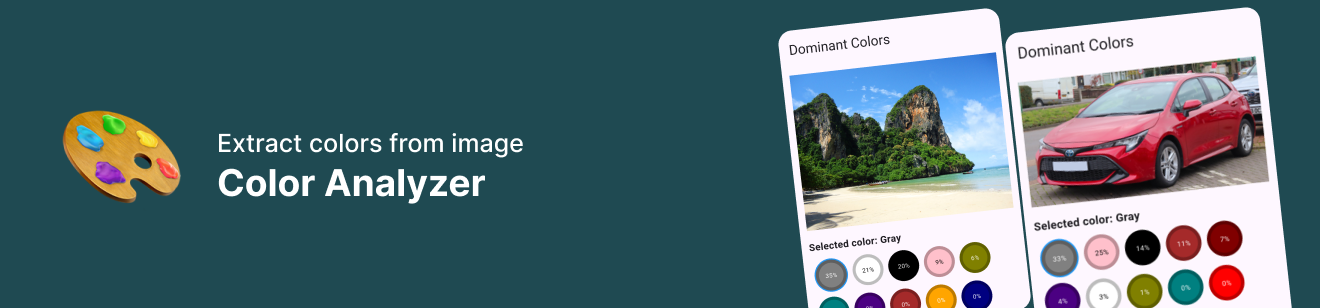
🎨 Dominant Color Detector
A lightweight Dart package to detect the dominant colors in an image, color percentage breakdown, and named color mapping.
Ideal for image analysis, theming, UI personalization, or artistic purposes in Flutter apps.
Utilizes the Image package to enable extract color from image pixel.
✨ Features
- ✅ Extract dominant colors from images (
Uint8List) - 📊 Returns a percentage breakdown of top colors
- 🎨 Maps RGB to named colors (like
Red,Blue,Magenta, etc.) - 🌐 Support for both asset and network images
- 🧩 Easily extendable and plugin-ready
🚀 Getting Started
1. Install
Add to your pubspec.yaml:
dependencies:
  dominant_color_detector: ^0.0.2
2. Usage
Extract dominant colors from image bytes:
import 'dart:typed_data';
import 'package:dominant_color_detector/dominant_color_detector.dart';

Uint8List bytes = ... // your image bytes

final results = await DominantColorDetector.analyze(bytes);

for (final result in results) {
  print('${result.color.label}: ${(result.percentage).toStringAsFixed(0)}%');
}
📦 Output
The result is a list of DominantColorStat:
 class DominantColorStat {
  final DominantColor color;
  final double percentage;
}
And DominantColor is an enhanced enum:
enum DominantColor {
  red, green, blue, yellow, magenta, cyan, ...
}
You can access:
- A
color.label→ e.g., 'Red' - A
color.color→ the Color object - A
color.hex→ e.g., #FFFF0000
⚙️ Customization
You can control image resize size for performance:
await DominantColorDetector.analyze(bytes, maxSize: 150);
Or skip colors below a threshold (currently defaults to 1% in code).
🙌 Credits
Built with ❤️ by Muitsu