
dictionary_text


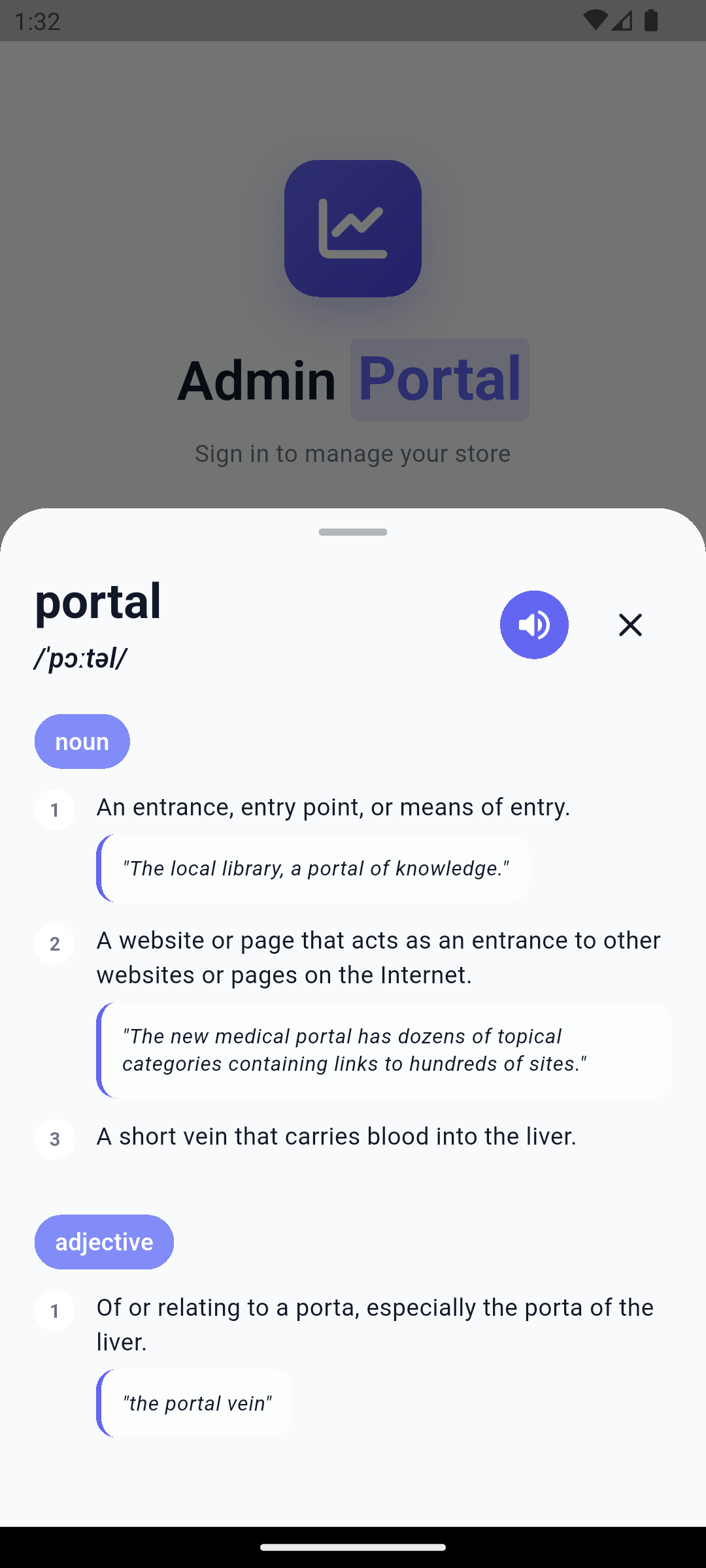
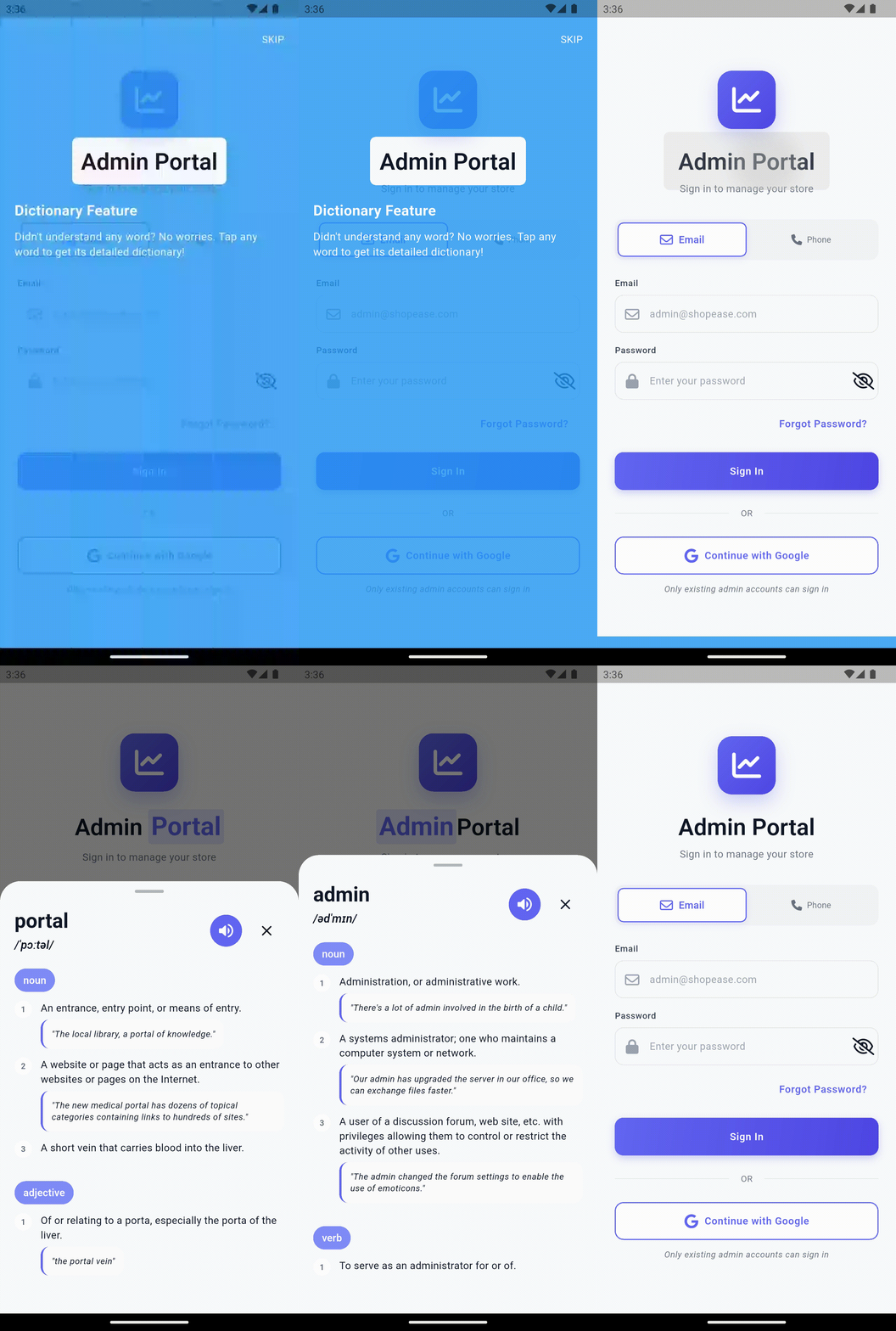
A beautiful, customizable Flutter widget that transforms any text into an interactive dictionary. Tap or hold any word to see definitions, pronunciations, and examples in a beautifully animated bottom sheet or dialog.
Preview
Author
Abdul Waseem Nihaal
- Email: waseemnihaal20@gmail.com
- GitHub: https://github.com/waseemnihaal20-a11y
Features
- Instant Definitions - Tap any word to see its dictionary definition
- Audio Pronunciation - Listen to word pronunciations
- Highly Customizable - Colors, styles, animations, and more
- Responsive Design - Adapts to mobile, tablet, and desktop
- Smooth Animations - iOS-quality spring animations
- Multiple Display Modes - Bottom sheet or dialog
- Flexible Triggers - Tap or long-press gestures
- Tutorial Guide - Built-in onboarding for users
- Cross-Platform - Android, iOS, Web, Windows, macOS, Linux
Installation
Add dictionary_text to your pubspec.yaml:
dependencies:
  dictionary_text: ^0.1.0
Then run:
flutter pub get
Quick Start
import 'package:dictionary_text/dictionary_text.dart';

// Basic usage - works like Text widget
DictionaryText('Flutter is amazing')

// With customization
DictionaryText(
  'beautiful',
  displayMode: DisplayMode.bottomSheet,
  triggerMode: TriggerMode.tap,
  selectedWordColor: Colors.blue,
)
Configuration Options
Display Mode
// Bottom sheet (default)
DictionaryText(
  'word',
  displayMode: DisplayMode.bottomSheet,
)

// Centered dialog
DictionaryText(
  'word',
  displayMode: DisplayMode.dialog,
)
Trigger Mode
// Single tap (default)
DictionaryText(
  'word',
  triggerMode: TriggerMode.tap,
)

// Long press
DictionaryText(
  'word',
  triggerMode: TriggerMode.longPress,
)
Styling
DictionaryText(
  'word',
  backgroundColor: Colors.blue.shade50,
  selectedWordColor: Colors.blue,
  style: TextStyle(fontSize: 18, fontWeight: FontWeight.w500),
  definitionStyle: TextStyle(fontSize: 16, height: 1.5),
)
Custom Loading & Error Widgets
DictionaryText(
  'word',
  loadingBuilder: (context) => MyCustomLoader(),
  errorBuilder: (context, error) => MyCustomError(error),
)
Tutorial Guide
DictionaryText(
  'word',
  needGuide: true,
  guideConfig: TutorialConfig(
    title: 'Dictionary Feature',
    description: 'Tap any word to see its definition!',
  ),
)
Using DictionaryService Directly
final service = DictionaryService();
final definition = await service.getDefinition('flutter');
print(definition.word); // 'flutter'
print(definition.meanings.first.partOfSpeech); // 'verb'
API Reference
| Property | Type | Default | Description |
|---|---|---|---|
data |
String |
required (positional) | The text to display |
style |
TextStyle? |
null | Text style |
displayMode |
DisplayMode |
bottomSheet |
How to display definitions |
triggerMode |
TriggerMode |
tap |
Gesture to trigger lookup |
backgroundColor |
Color? |
null | Background color for display |
selectedWordColor |
Color? |
null | Color for selected word |
definitionStyle |
TextStyle? |
null | Definition text style |
needGuide |
bool |
true |
Show tutorial on first use |
enableHapticFeedback |
bool |
true |
Enable haptic feedback |
maxLines |
int? |
null | Maximum number of lines |
overflow |
TextOverflow |
clip |
Text overflow behavior |
textAlign |
TextAlign |
start |
Text alignment |
Platform Support
| Platform | Support |
|---|---|
| Android | ✅ |
| iOS | ✅ |
| Web | ✅ |
| Windows | ✅ |
| macOS | ✅ |
| Linux | ✅ |
License
This project is licensed under the MIT License - see the LICENSE file for details.
Acknowledgments
Dictionary data provided by Free Dictionary API
Libraries
- dictionary_text
- A beautiful, customizable Flutter widget that transforms any text into an interactive dictionary.