
Colored Image


A Flutter package for applying color tints to images while preserving details. Uses color matrix transformations to maintain the original image's luminance and structure.
💖 Support this project on Patreon - Your support helps me create and maintain open-source packages!
Connect With Us
Omar Elmesiry




BrightByte



Demo
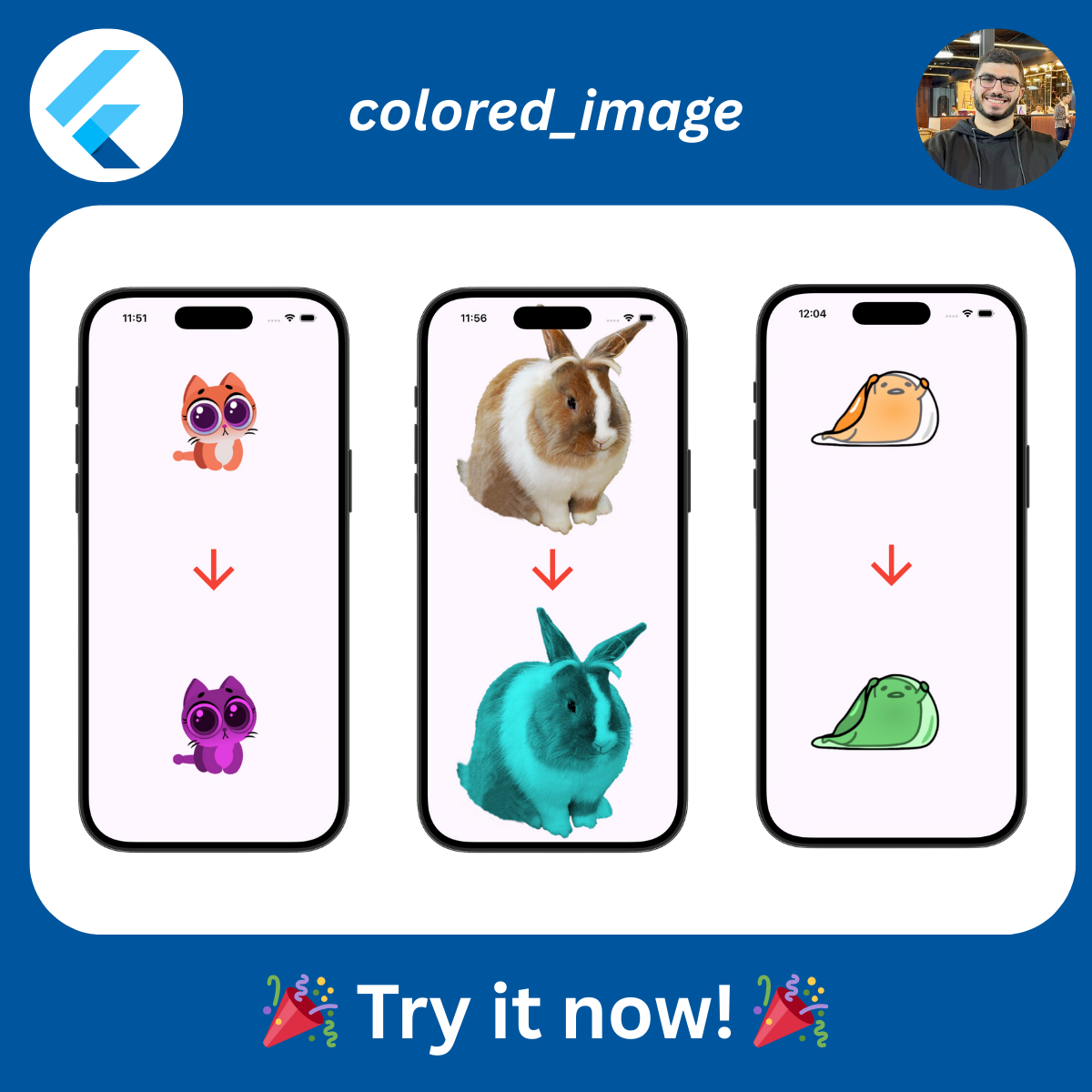
See how easily you can apply different color tints to images while preserving all the details and depth!
Installation
Add this to your package's pubspec.yaml file:
dependencies:
  colored_image: ^1.0.0
Then run:
flutter pub get
Usage
Simple Image Coloring
Use the ColoredImage widget to apply a color tint to an image:
import 'package:colored_image/colored_image.dart';
import 'package:flutter/material.dart';

ColoredImage(
  color: Colors.blue,
  child: Image.asset('assets/icon.png'),
)
Color Multiple Widgets
Use ColorTintFilter to apply color tints to complex widget trees:
ColorTintFilter(
  color: Colors.purple,
  child: Column(
    children: [
      Image.asset('assets/image1.png'),
      Image.asset('assets/image2.png'),
    ],
  ),
)
Using the Color Matrix Function
For advanced use cases, you can use the buildColorMatrix function directly:
final matrix = buildColorMatrix(Colors.red);
final colorFilter = ColorFilter.matrix(matrix);

// Use with ColorFiltered widget
ColorFiltered(
  colorFilter: colorFilter,
  child: yourWidget,
)

// Or with Paint for custom rendering
final paint = Paint()
  ..colorFilter = colorFilter;
Complete Example
import 'package:flutter/material.dart';
import 'package:colored_image/colored_image.dart';

void main() => runApp(MyApp());

class MyApp extends StatelessWidget {
  @override
  Widget build(BuildContext context) {
    return MaterialApp(
      home: Scaffold(
        appBar: AppBar(title: Text('Colored Image Demo')),
        body: Center(
          child: Row(
            mainAxisAlignment: MainAxisAlignment.spaceEvenly,
            children: [
              // Original image
              Image.asset('assets/icon.png', width: 100),

              // Blue tinted
              ColoredImage(
                color: Colors.blue,
                child: Image.asset('assets/icon.png', width: 100),
              ),

              // Red tinted
              ColoredImage(
                color: Colors.red,
                child: Image.asset('assets/icon.png', width: 100),
              ),

              // Green tinted
              ColoredImage(
                color: Colors.green,
                child: Image.asset('assets/icon.png', width: 100),
              ),
            ],
          ),
        ),
      ),
    );
  }
}
How It Works
The package uses a luminance-preserving color matrix transformation. It extracts the brightness information from the original image and applies the target color while maintaining detail and depth.
API Reference
buildColorMatrix(Color color)
Builds a color matrix for applying a color tint to an image.
Parameters:
color: The target color to apply to the image
Returns: List<double> - A 5x4 color matrix (20 values)
ColoredImage
A widget that applies a color tint to its child image.
Properties:
color(required): The color to apply to the child imagechild(required): The image widget to be coloredblendMode: The blend mode to use (default:BlendMode.srcATop)
ColorTintFilter
A widget that applies a color tint to any child widget.
Properties:
color(required): The color to apply as a tintchild(required): The widget to apply the color tint to
Contributing
Contributions are welcome! Please feel free to submit a Pull Request.
Support
If you find this package helpful, please consider supporting its development:
Your support helps me:
- Maintain and improve this package
- Create new open-source tools for the Flutter community
- Provide timely support and bug fixes
- Develop new features based on community feedback
License
MIT License - see LICENSE file for details.
Copyright (c) 2026 Omar & BrightByte
Libraries
- colored_image
- A Flutter package for applying color tints to images while preserving detail.