# bottom_sheet_item_selector

Flutter bottom_sheet_item_selector is a highly customizable Flutter package that simplifies the process of selecting items from a bottom sheet. This widget supports both single and multiple item selection modes, making it a flexible solution for any mobile app interface. Whether you're building forms, filters, or item pickers, this package is designed to meet your needs with ease and efficiency.

## Features

- **Single Selection**: Select a single item from a list.
- **Multiple Selection**: Select multiple items with a checkmark interface.
- **Customizable**: Customize the appearance and behavior of the bottom sheet.
- **Searchable List**: Optionally enable search functionality to filter items.

## Installation

Add this package to your `pubspec.yaml`:

```yaml
dependencies:
bottom_sheet_item_selector: ^1.0.0
```

Run `flutter pub get` to install the package.

## Example Usage

### Single Selection Example

```dart
SelectableItemBottomSheet<String>(
title: 'Select One User',
selectableItems: items,
onItemSelected: (selectedItem) {
    ScaffoldMessenger.of(context).showSnackBar(
    SnackBar(content: Text('You selected: ${selectedItem.title}')),
    );
},
);
```

### Multiple Selection Example

```dart
SelectableItemBottomSheet<String>(
title: 'Select Multiple Users',
selectableItems: items,
isMultipleSelection: true,
onItemsSelected: (selectedItems) {
    final selectedTitles = selectedItems.map((e) => e.title).join(', ');
    ScaffoldMessenger.of(context).showSnackBar(
    SnackBar(content: Text('You selected: $selectedTitles')),
    );
},
);
```
Screenshots
| Custom Selection View |
Single Selection |
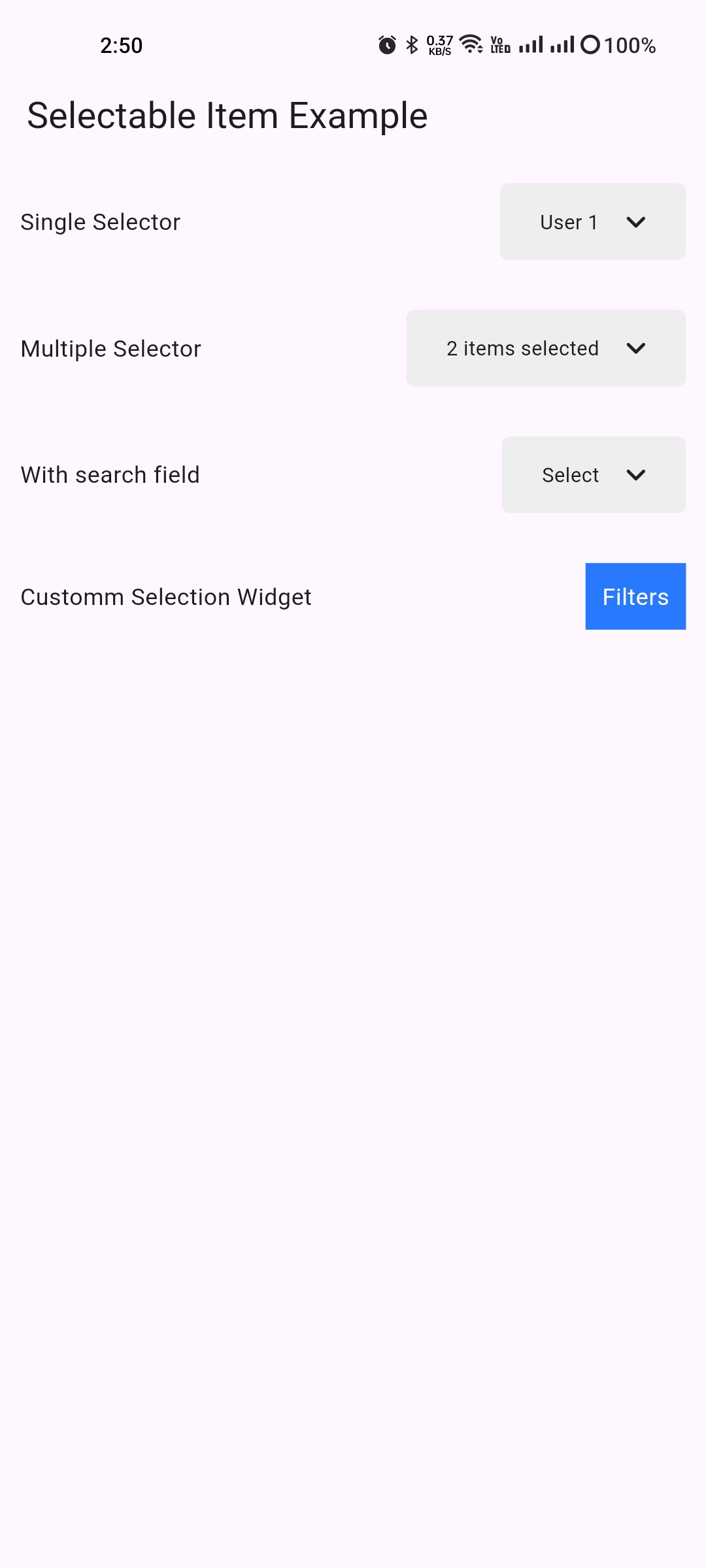 |
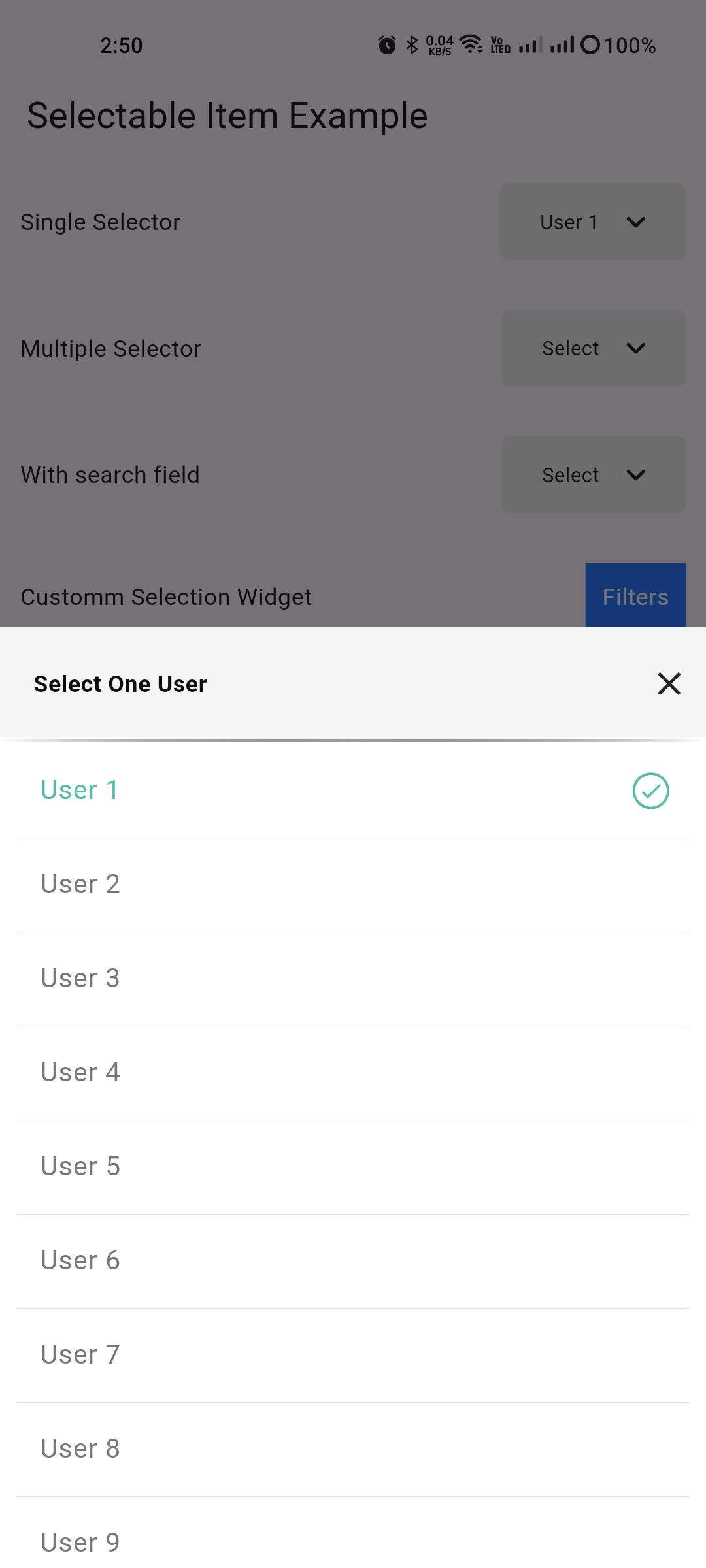 |
| Multiple Selection |
Searchable Selection |
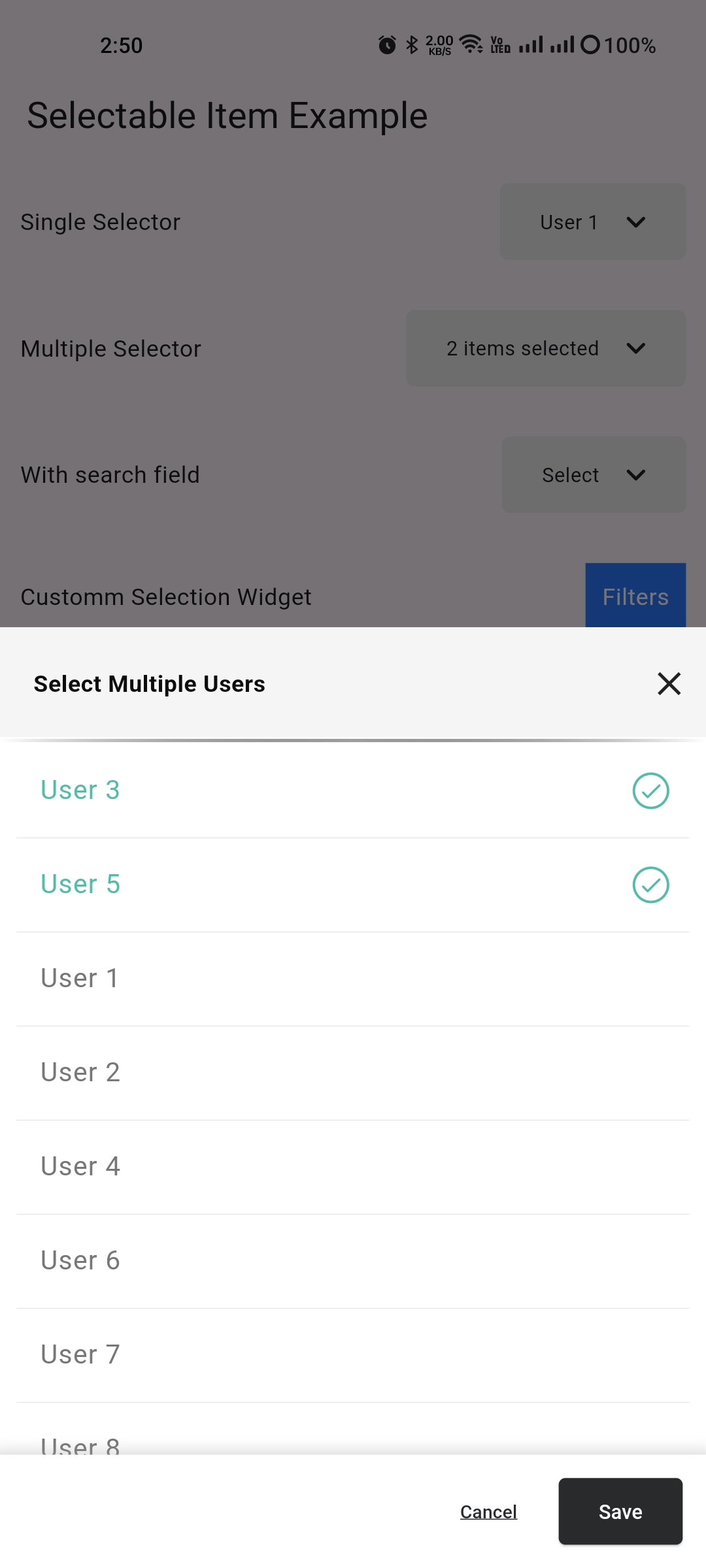 |
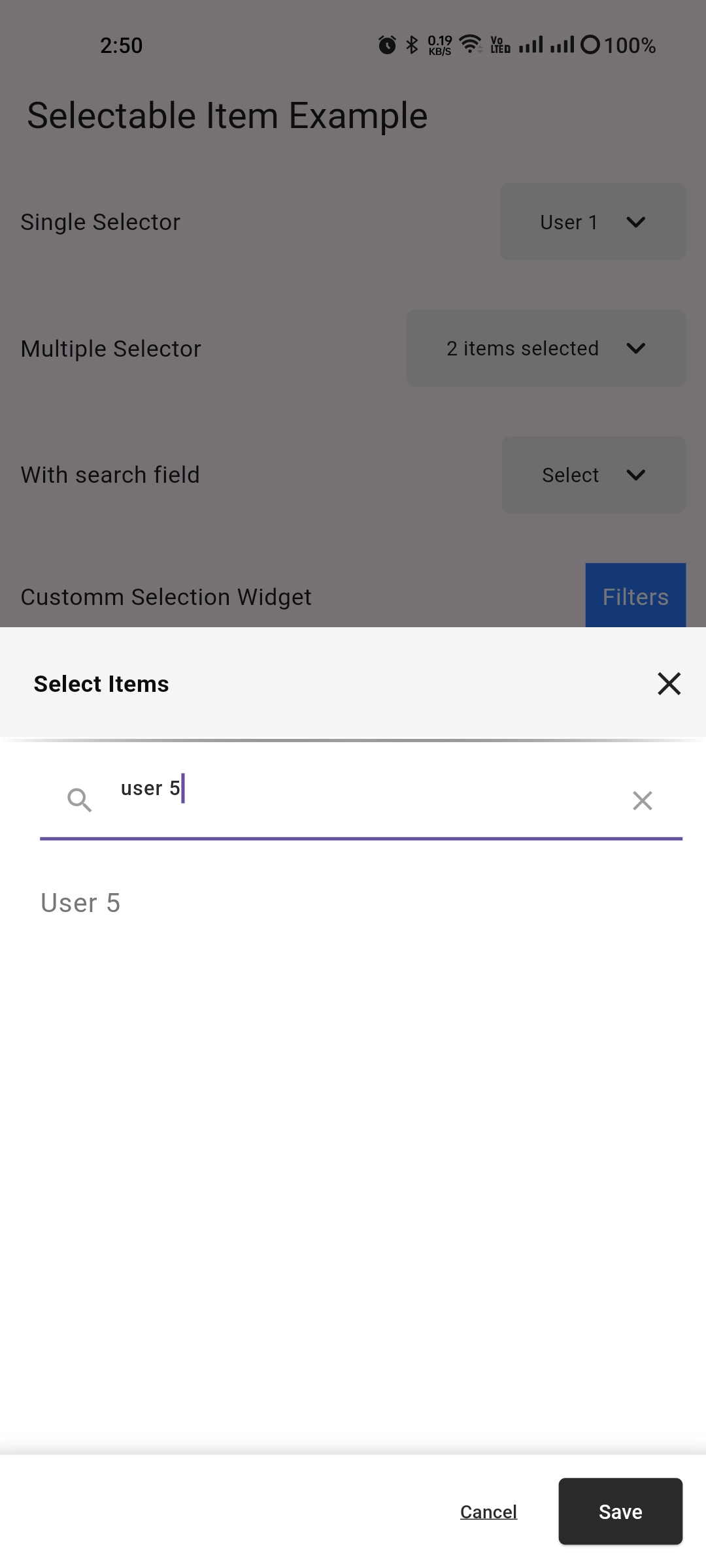 |
## How to Use

1. Add `bottom_sheet_item_selector` to your `pubspec.yaml`.
2. Import the package:

```dart
import 'package:bottom_sheet_item_selector/bottom_sheet_item_selector.dart';
```

3. Use the `SelectableItemBottomSheet` in your widget tree as shown in the example above.

## Customization

You can enable search, customize the widget, and more by adjusting the parameters in the widget.

## Contributions

Contributions, issues, and feature requests are welcome!
