
AMLV
Apple Music Lyric Viewer, a Flutter package inspired by Apple Music's Lyrics Viewer, this package provides a widget that displays lyrics(srt, lrc, json) in a beautiful way.
Installation
How to install it? Follow Instructions
Use Case
xMusic PlayerxAudio Book PlayerxPodcast PlayerxKaraoke App
Features
xSupport for srt, lrc, json lyrics parsingxSupport for creating custom lyric parsersxSupport for customizing the lyrics widgetxSupport for playing lyrics in sync with audio
Preview
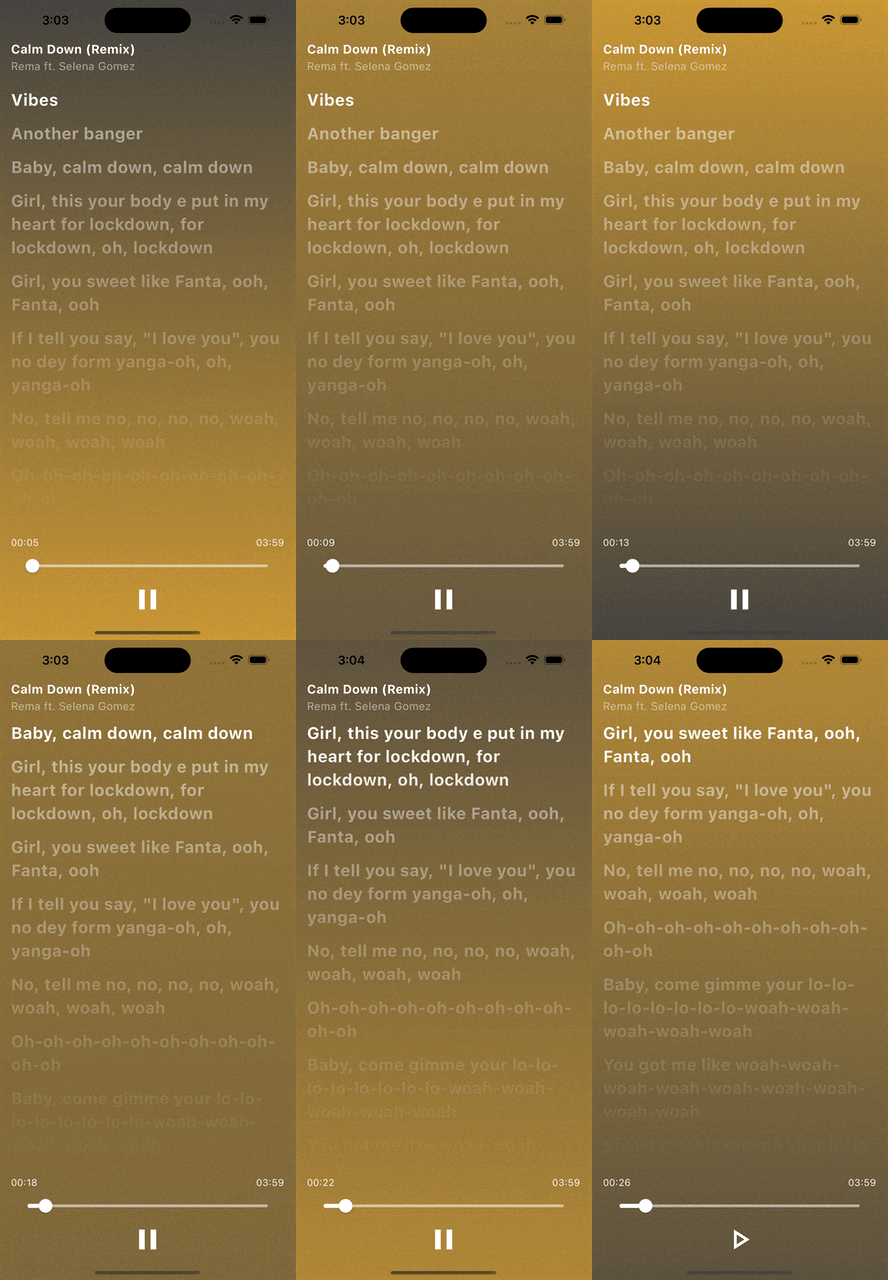
Usage
import 'const.dart';
import 'package:flutter/material.dart';
import 'package:amlv/amlv.dart';

void main() async {
  runApp(const MyApp());
}

class MyApp extends StatelessWidget {
  const MyApp({super.key});

  @override
  Widget build(BuildContext context) {
    return MaterialApp(
      title: 'AMLV Demo',
      debugShowCheckedModeBanner: false,
      theme: ThemeData(
        colorScheme: ColorScheme.fromSeed(seedColor: Colors.deepPurple),
        useMaterial3: true,
      ),
      home: const MyHomePage(),
    );
  }
}

class MyHomePage extends StatefulWidget {
  const MyHomePage({super.key});

  @override
  State<MyHomePage> createState() => _MyHomePageState();
}

class _MyHomePageState extends State<MyHomePage> {
  LrcLyricParser parser = LrcLyricParser();
  Lyric? lyric;

  @override
  void initState() {
    _loadLyrics();
    super.initState();
  }

  _loadLyrics() async {
    lyric = await parser.parse(lrcLyrics, UrlSource(lrcUrlSource));
    setState(() {});
  }

  @override
  Widget build(BuildContext context) {
    return lyric != null
        ? LyricViewer(
            lyric: lyric!,
            onLyricChanged: (LyricLine line, String source) {
              // ignore: avoid_print
              print("$source: [${line.time}] ${line.content}");
            },
            onCompleted: () {
              // ignore: avoid_print
              print("Completed");
            },
            gradientColor1: const Color(0xFFCC9934),
            gradientColor2: const Color(0xFF444341),
          )
        : const SizedBox();
  }
}
LICENSE

MIT License
Copyright (c) 2023 lhamy.codes
LICENSE file